Vercel
Vercel uses GeistSans; main colour black #000000. Homepage of Vercel at 1440 px wide, 5930 px tall, cut into 7 sections. Scroll for every section with a one-line layout description; the full page and the phone view open with JavaScript on.
What font does Vercel use?
Vercel uses GeistSans. The main headline measures 64 px at weight 400. The fonts are not on Google Fonts (commercial or custom). Read from the live page's styles, not guessed from a screenshot.
Vercel colour palette
Main colour black #000000, from the base of its theme. Palette by role: #000000 (black, background); #ededed (off-white, headings, button text, other buttons); #a1a1a1 (light gray, body text); #0070f3 (bright blue, secondary text); #0a0a0a (black, buttons); #1a1a1a (near black, borders). Dark theme: black background (#000000) with off-white headings (#ededed) and light gray body text (#a1a1a1). Secondary text in bright blue (#0070f3). Main buttons are black (#0a0a0a) with off-white text. Other filled buttons are off-white (#ededed) with black text. No accent colour: the palette is monochrome.
Vercel landing page, section by section
Top bar with logo, 4 links, 3 buttons (filled).

Left-aligned heading; large image below.
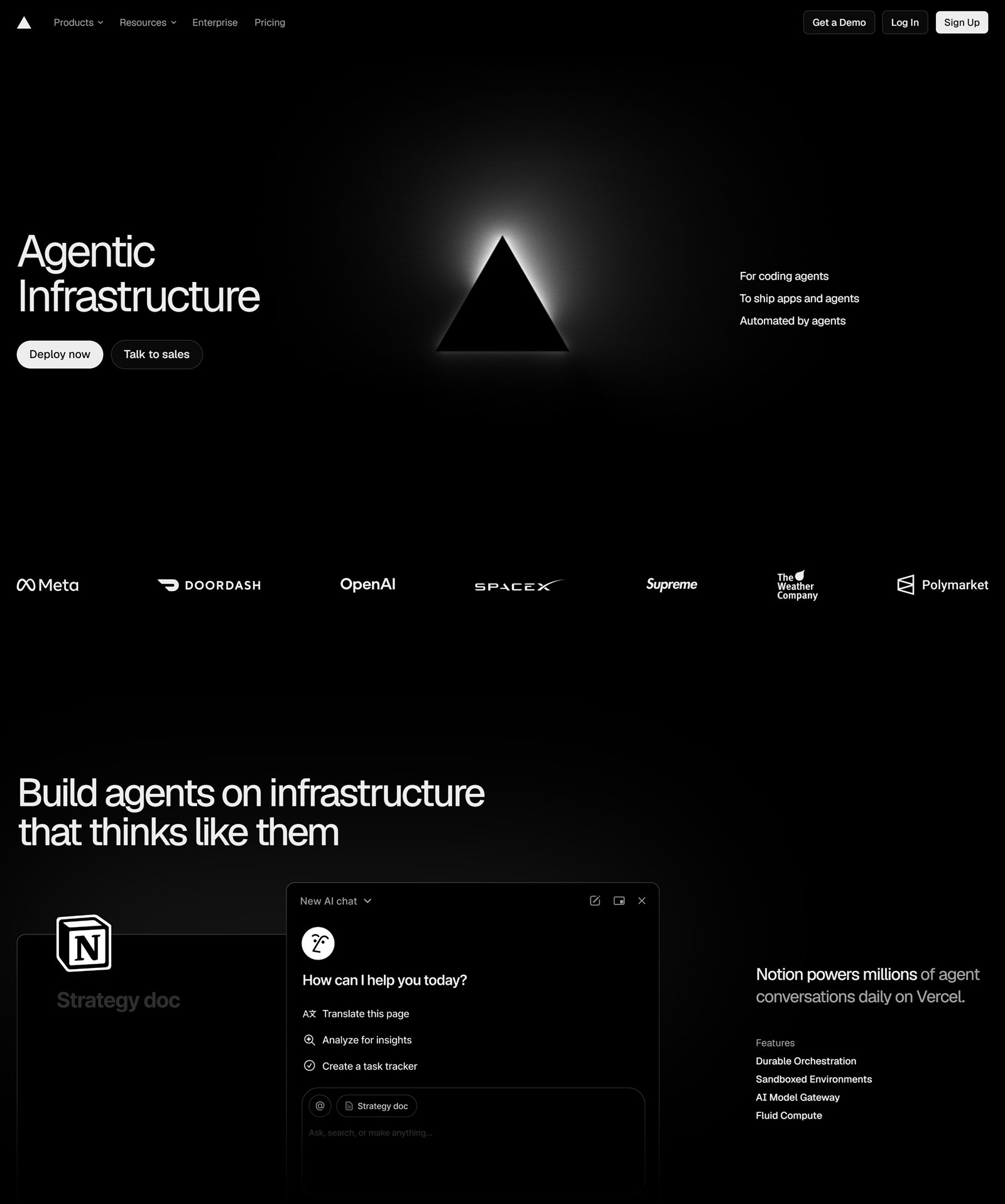
Left-aligned heading; large image below.
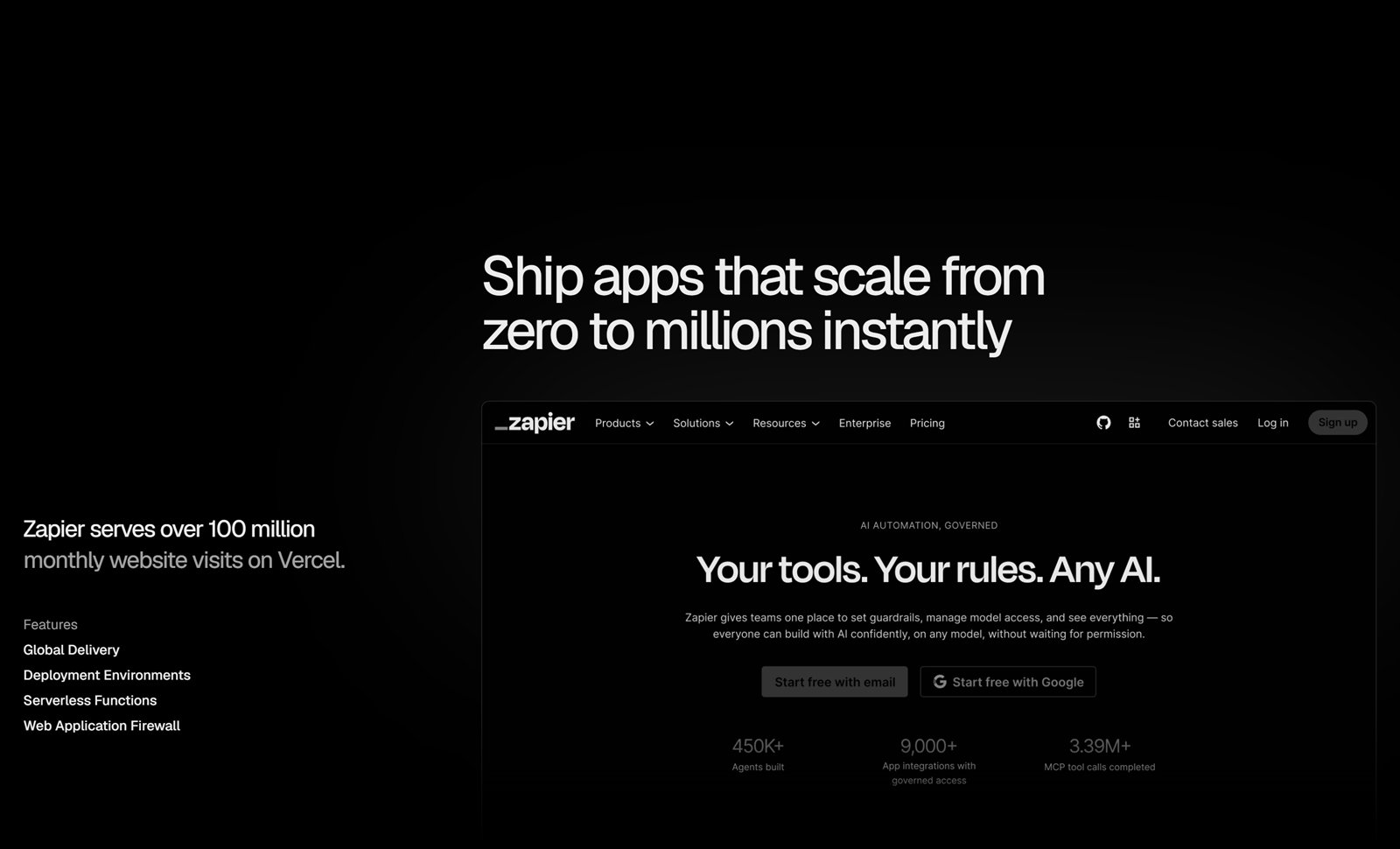
Left-aligned heading; large image below.
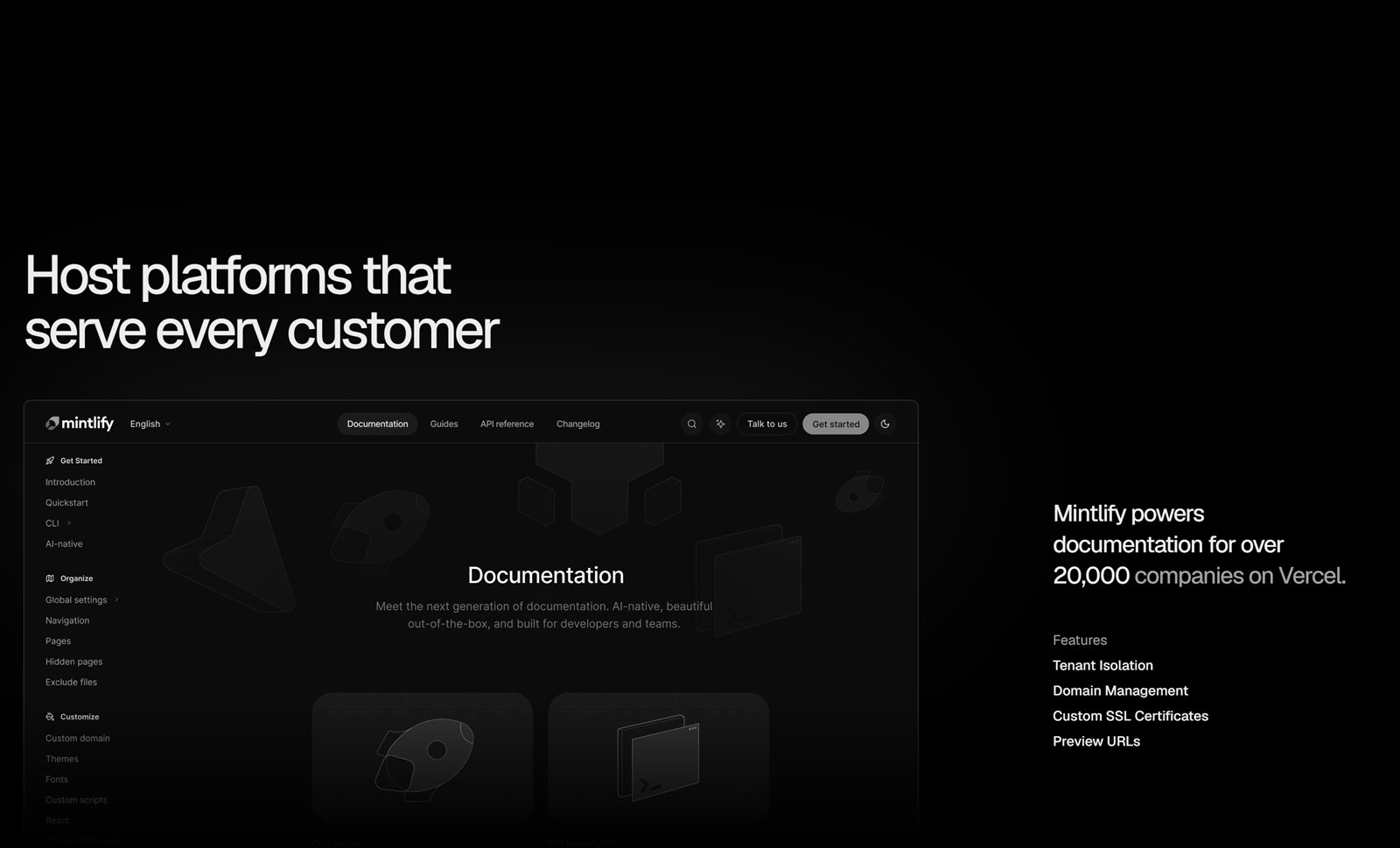
Left-aligned heading; large animation below; 3 items stacked.
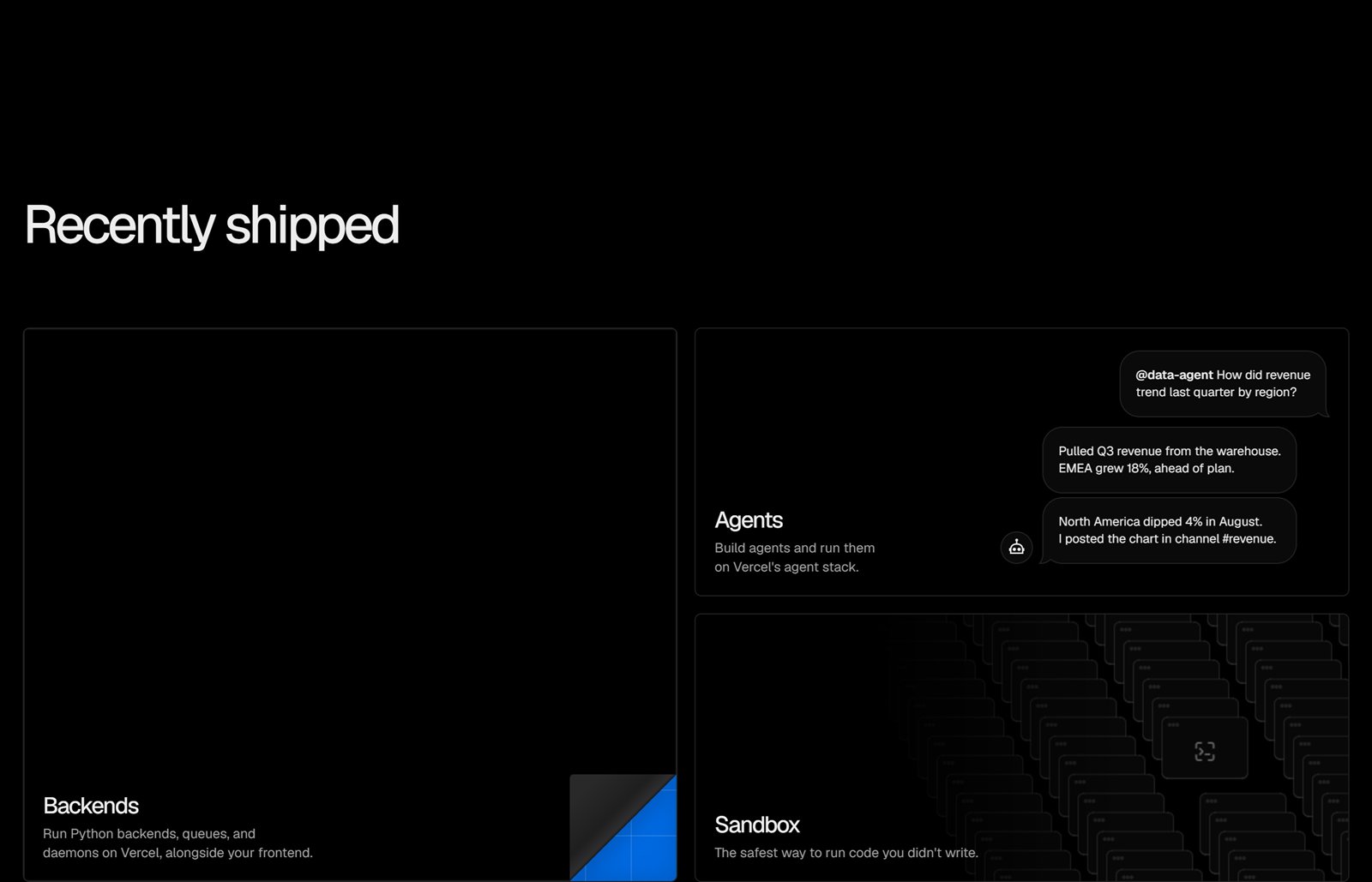
Centered heading, 2 buttons (filled).
Footer with 4 columns of links.
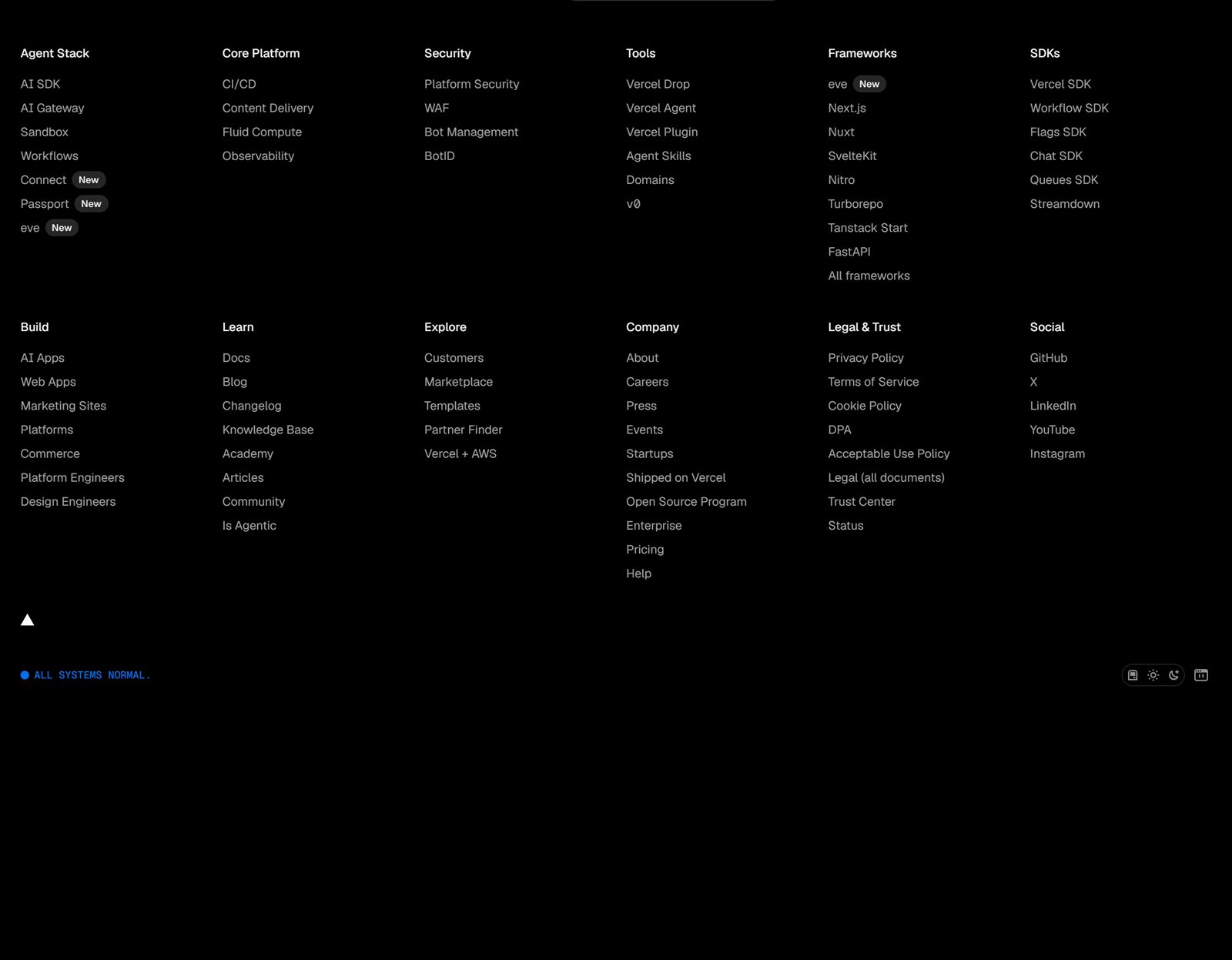
Pricing page (29 sections, live page)
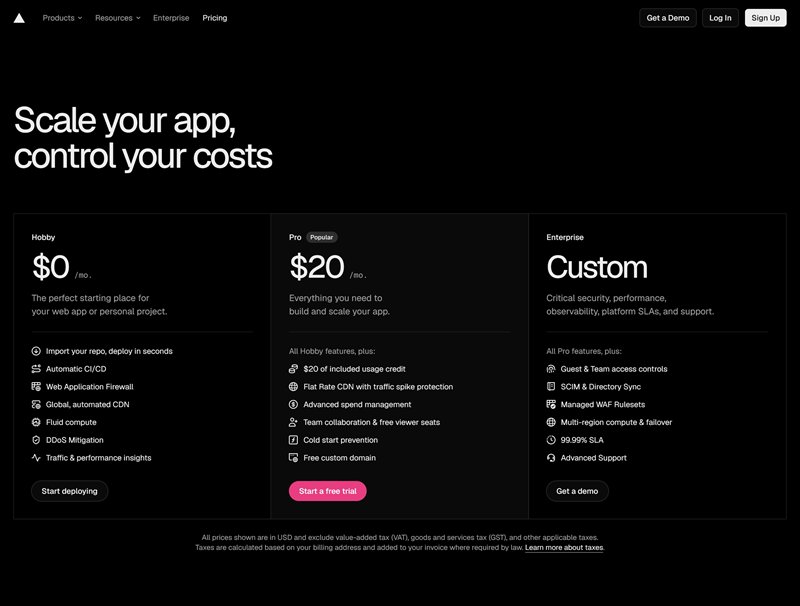
Left-aligned heading with supporting text, 3 buttons (filled); 7 items stacked.
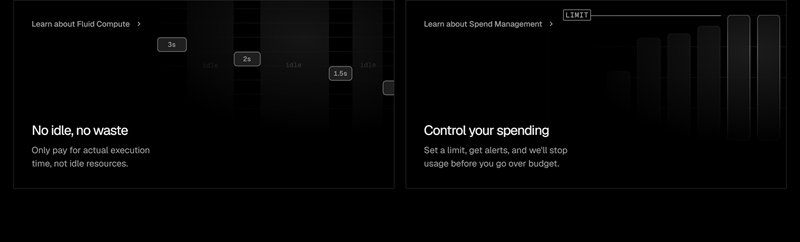
Left-aligned heading; illustration beside the text.
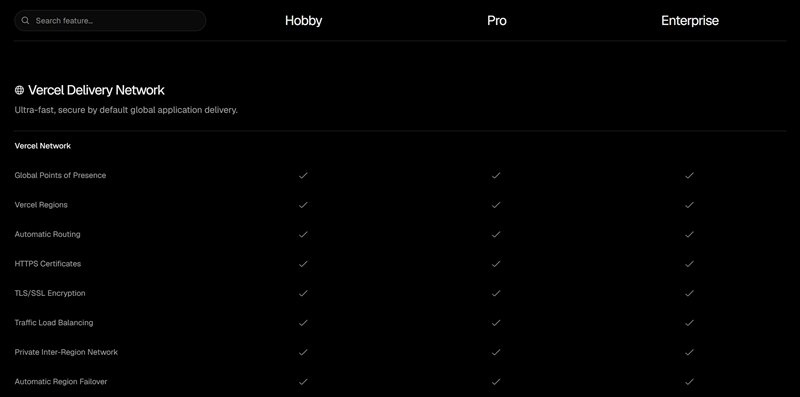
Left-aligned heading; 33 image tiles stacked; form with 1 field.

17 image tiles stacked.

4 items in 4 columns.
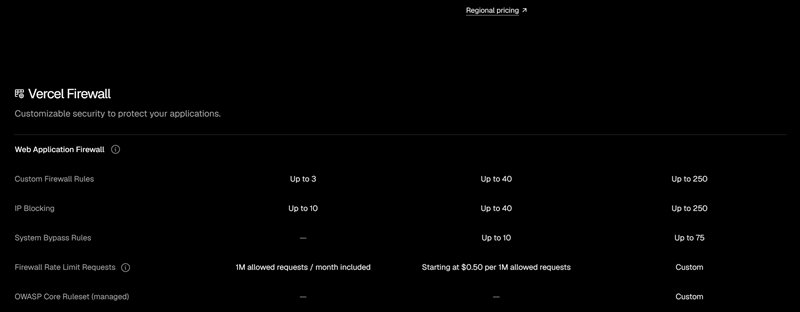
Left-aligned heading with supporting text; 18 items stacked.
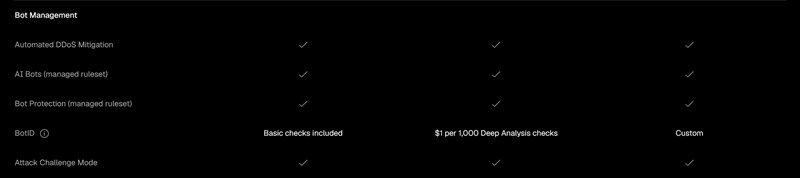
21 items stacked.
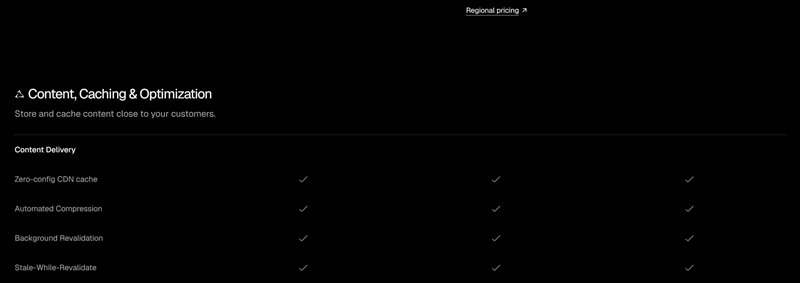
Left-aligned heading with supporting text; 17 image tiles stacked.

9 items stacked.
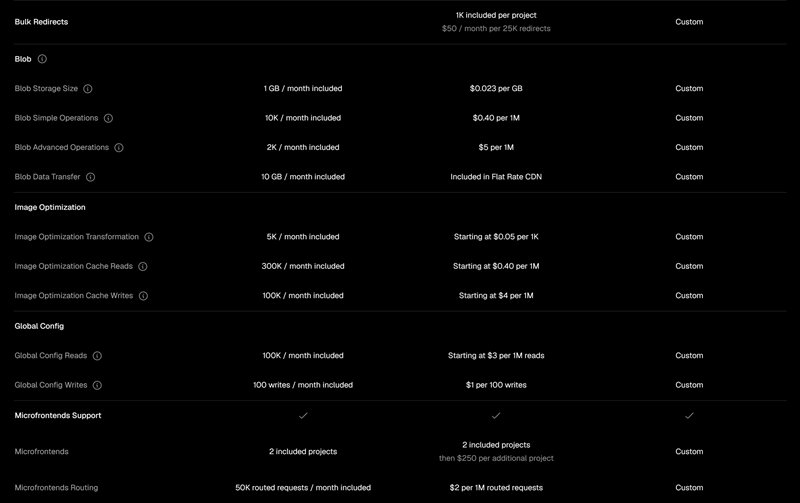
17 items stacked.
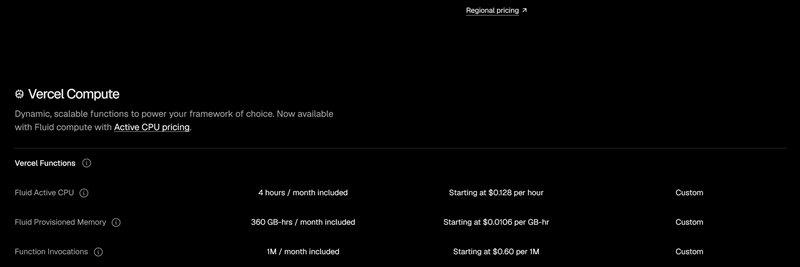
Left-aligned heading with supporting text; 13 items stacked.
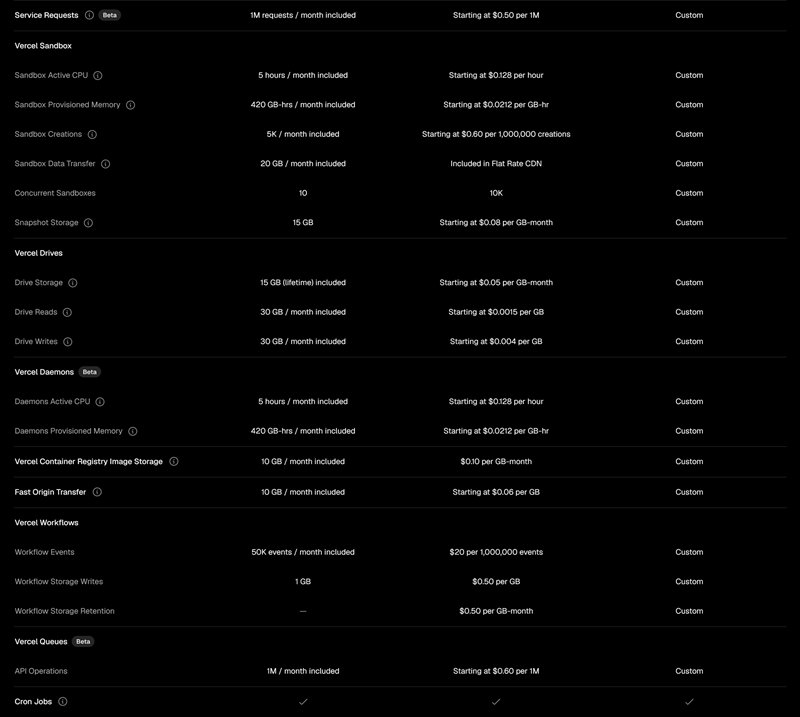
24 items stacked.
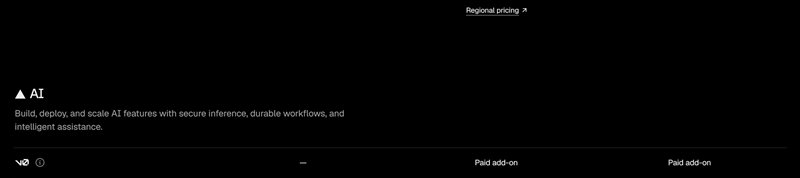
3 items in 3 columns.

12 items in 3 columns.
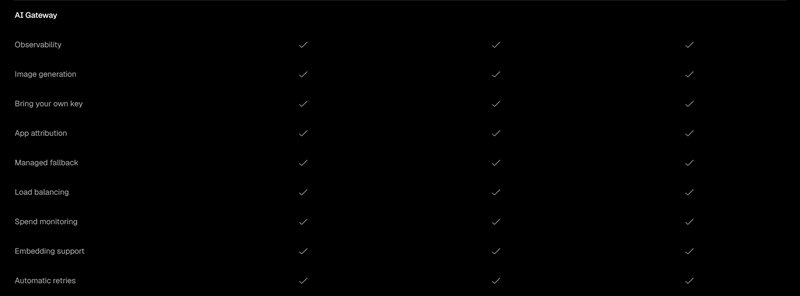
37 image tiles stacked.
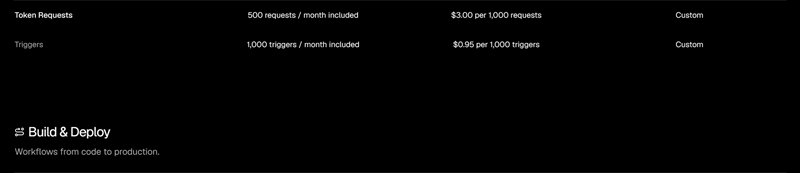
Left-aligned heading; 8 items in 4 columns.
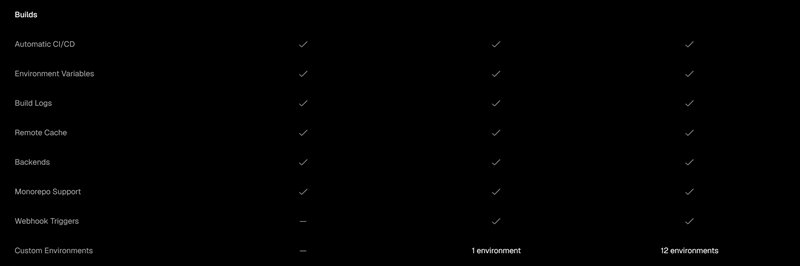
31 image tiles stacked.
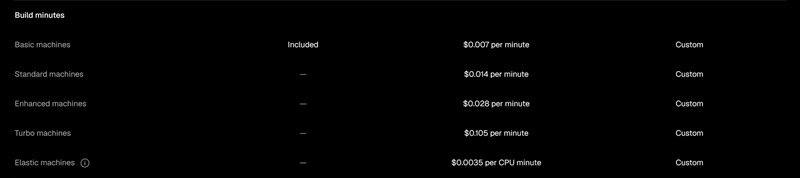
17 items stacked.
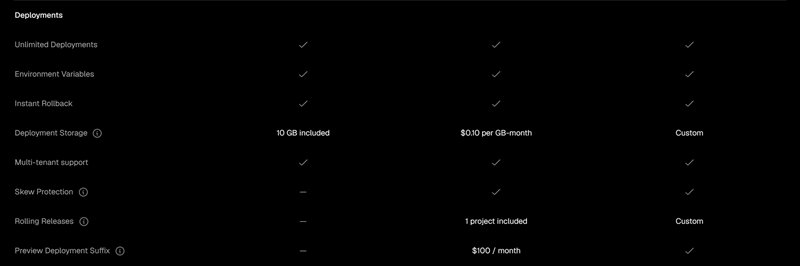
30 items stacked.

9 items stacked.
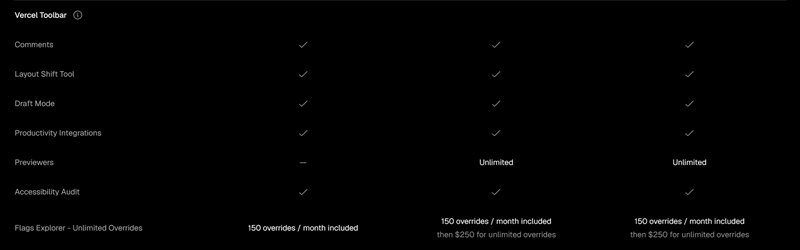
28 items stacked.

4 items in 4 columns.
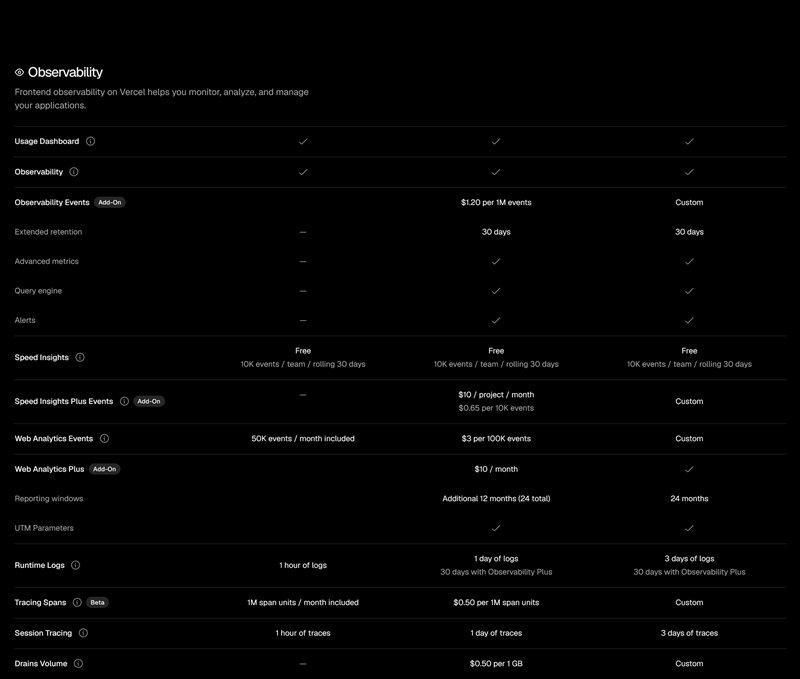
Left-aligned heading; 15 items in 3 columns.
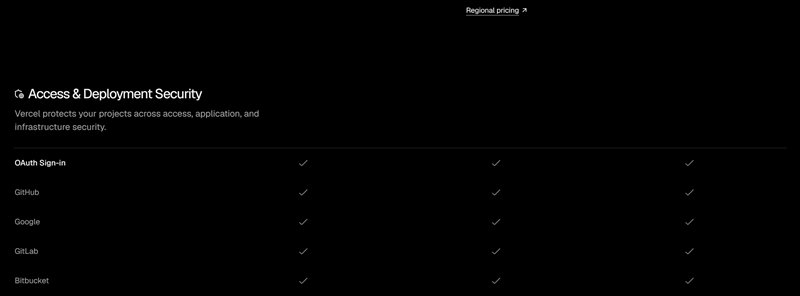
Left-aligned heading; 20 image tiles in 4 columns.
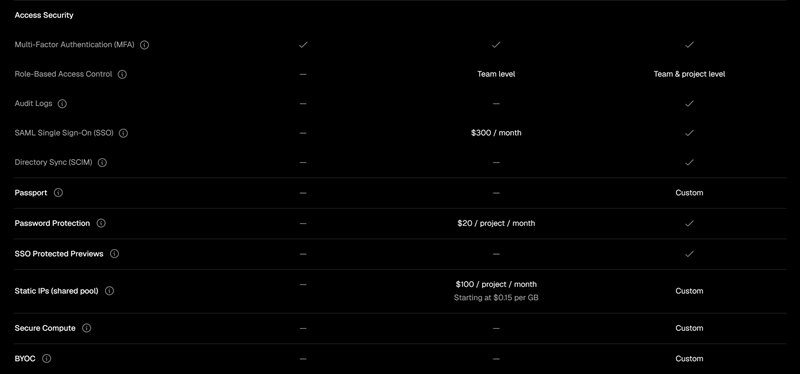
15 items stacked.
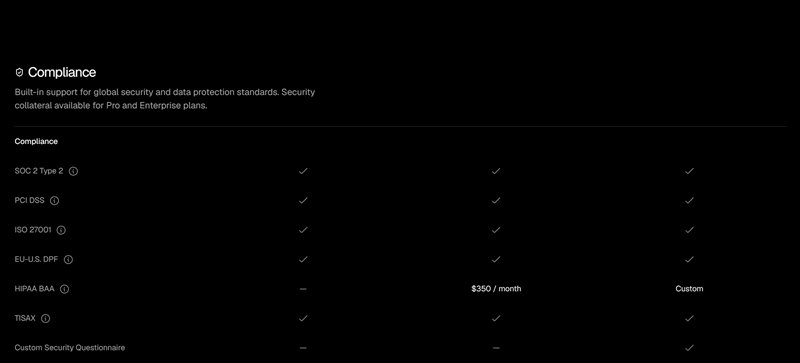
Left-aligned heading; 26 image tiles stacked.

3 buttons (filled); 3 items in 3 columns.
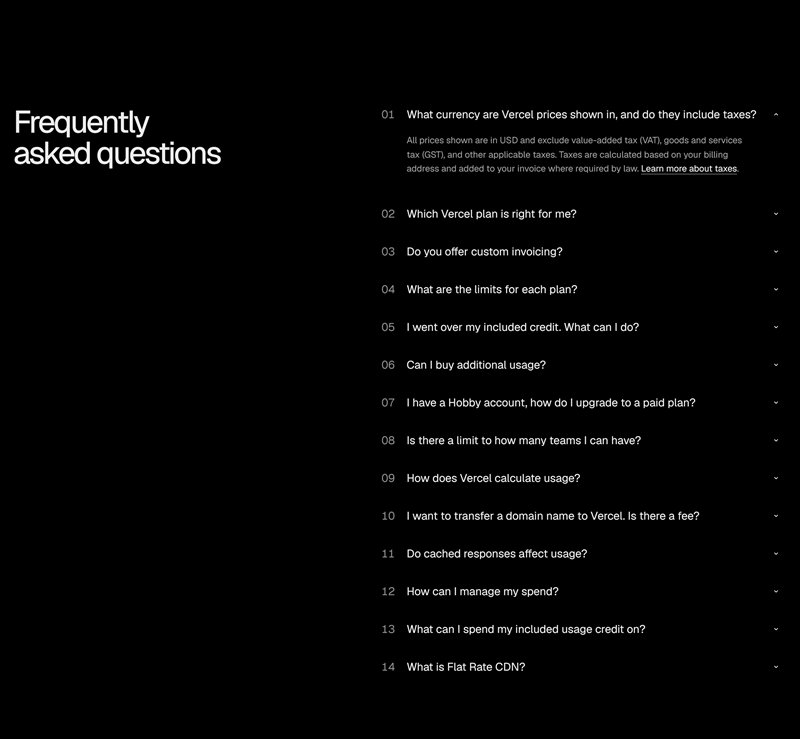
Left-aligned heading; accordion with 14 items.

Left-aligned heading, 2 buttons (filled).
Customers page (4 sections, live page)
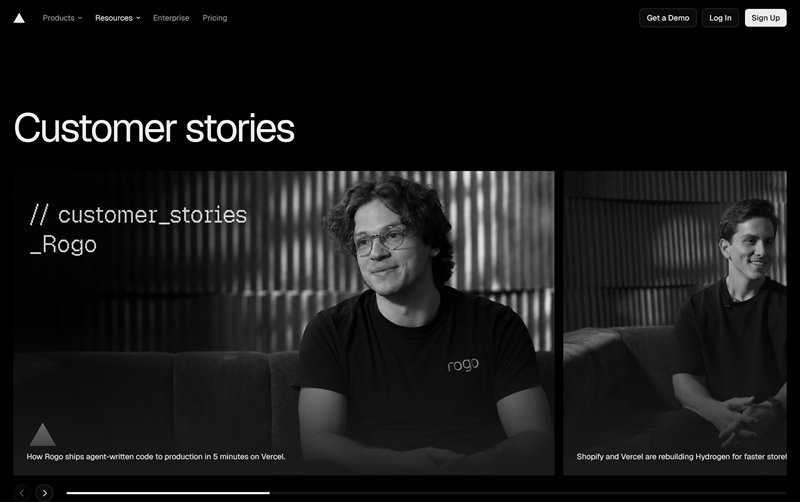
Left-aligned heading; 5 items in a horizontal row (scrolls).
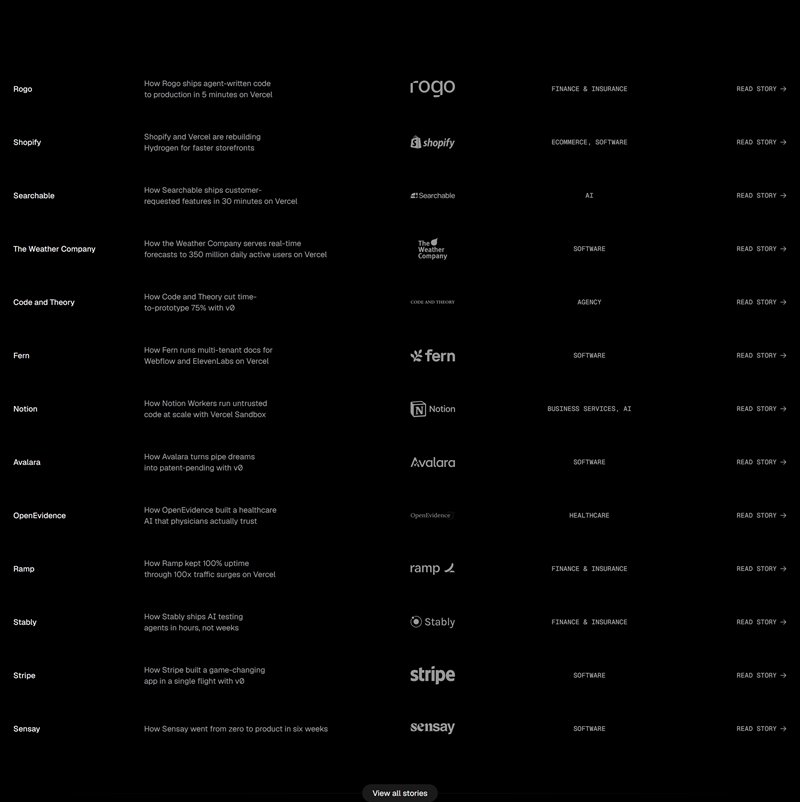
1 button (filled); 13 items stacked.
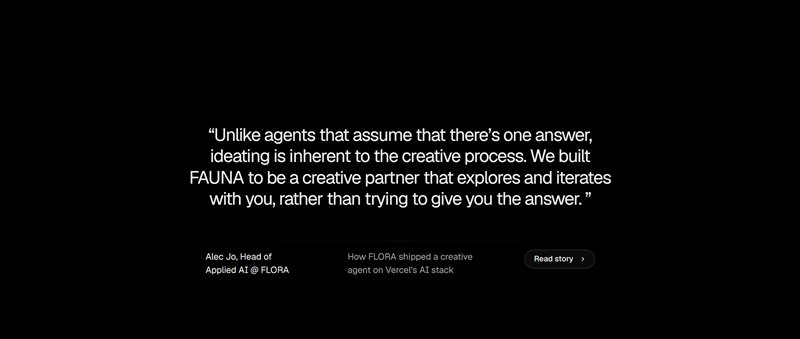
Centered heading, 1 button (filled); a customer quote.
Left-aligned heading, 1 button (filled); grid of 60 logos, 6 per row; form with 1 field.